Start free Sign in

For clients and observers. Transparent progress.

Give a client, consultant or partner read-only access to their project, so they can follow progress without calls, and without changing anything.

  • Read-only
  • Per project
  • Email invitation
  • Contact details hidden

What you get

See progress. Change nothing.

The Observer role is read-only and limited to the projects the Owner chooses.

  • Read-onlyObservers can look, not edit.
  • Only their projectsAccess is given project by project.
  • Contact details hiddenNo phone numbers, emails, PAN, GSTIN or addresses.
  • Invited properlyAn email invitation they accept themselves, with their own password.

See it

What it looks like.

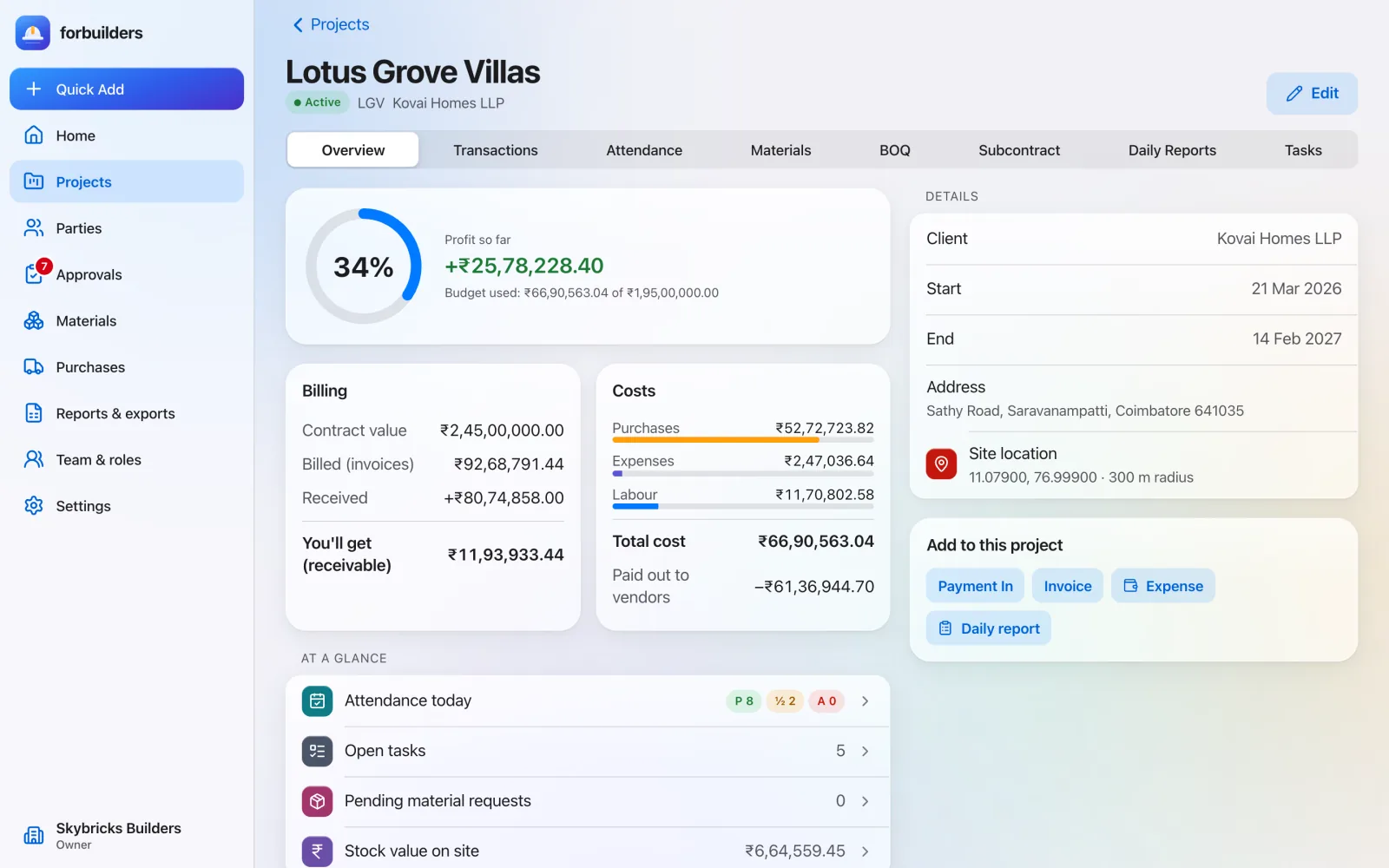
Project overview for the fictional demo project Lotus Grove Villas: 34% progress ring, profit so far of about 25.8 lakh rupees, budget used against a 1.95 crore budget, and billing figures for contract value, billed, received and receivable
Project overview with billing, costs and profit so far

Features

The features you will use most.

Projects & dashboard

Every site in one list, and one screen for what happened today.

Learn more

Daily progress & tasks

Today’s work, manpower, issues and photos, plus tasks with due dates.

Learn more

Team, roles & sign-in

Five roles, email invitations, Google sign-in, codes on new devices.

Learn more

FAQ

Good questions.

Can an observer change anything?

No. Observers have read-only access to the projects they are given.

Will an observer see our team’s contact details?

No. Observers never see anyone’s phone, email, PAN, GSTIN or address.

How does a client get access?

The company’s Owner invites them by email as an Observer and picks the projects they can see.

Run your next site on forbuilders.

Free during early access. Sign up with Google or email, add a project and invite your team in about five minutes.