Approvals
Decide who approves what. Nobody approves their own entry.
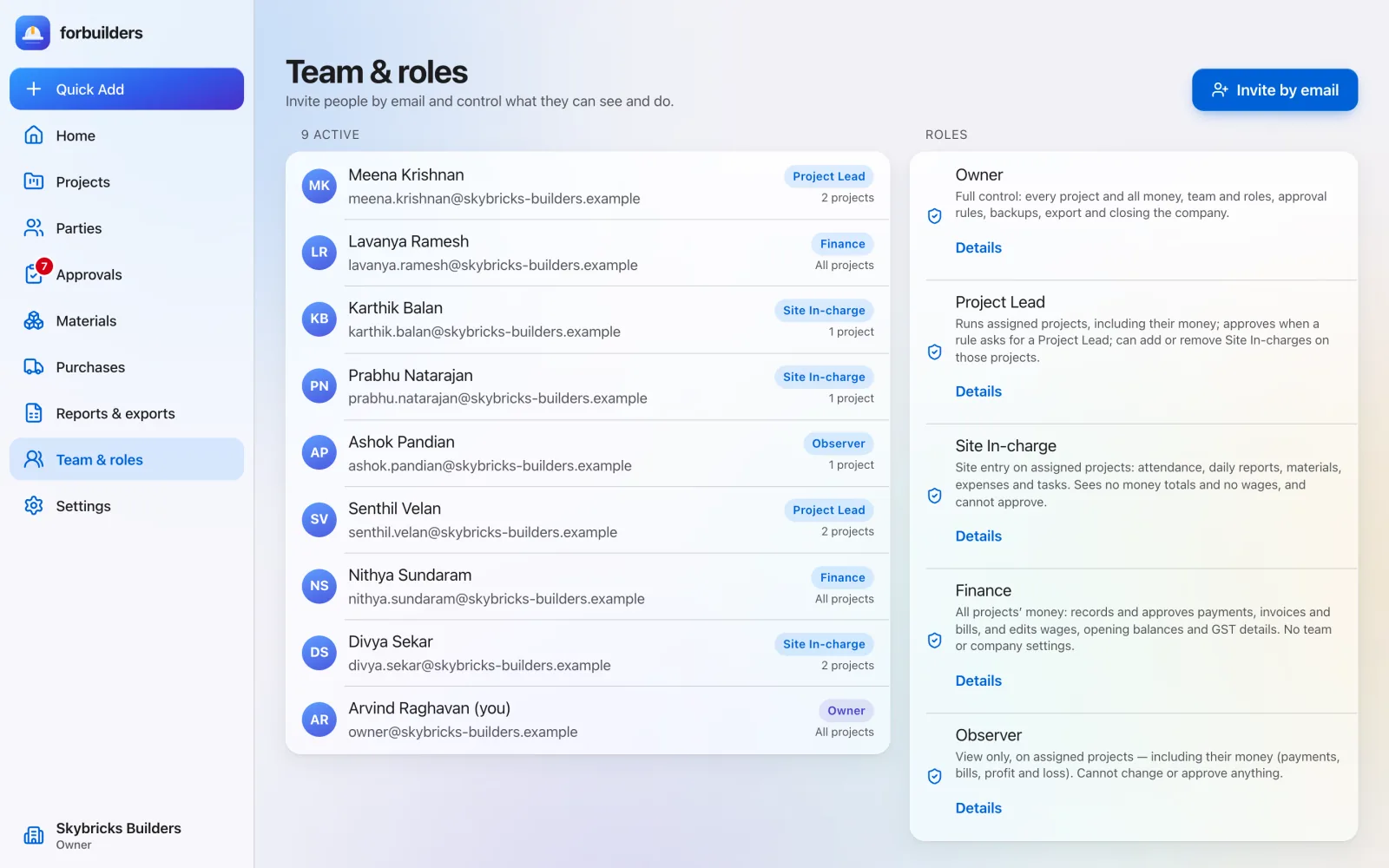
Learn moreFive roles decide what each person can see and do. Invitations go by email, people set their own passwords, and every new device is confirmed with a code.
The problem
For: Owners
How it works
Pick the role and projects. The invitation link works once and lasts seven days.
The invitee confirms the email, sets their own password, accepts the Terms and joins.
Change roles and projects, see alerts, and remove access when someone leaves.
What you get
Everything on this page is live in forbuilders today.
FAQ
No. Invited people set their own password. The Owner never sees it.
forbuilders sends a one-time code to the person’s email. Codes expire in five minutes.
Demoting or removing another Owner waits 72 hours, and that Owner is told and can contest it.
New devices, password or email changes, team and role changes, deleted money entries, backup changes, Owner overrides and company exports, among others.
Works well with
Decide who approves what. Nobody approves their own entry.
Learn moreDaily backup to the owner’s own Google Drive; export any time.
Learn moreSite entries save with no signal and sync when it returns.
Learn moreFree during early access. Sign up with Google or email, add a project and invite your team in about five minutes.