Works offline
Site entries save with no signal and sync when it returns.
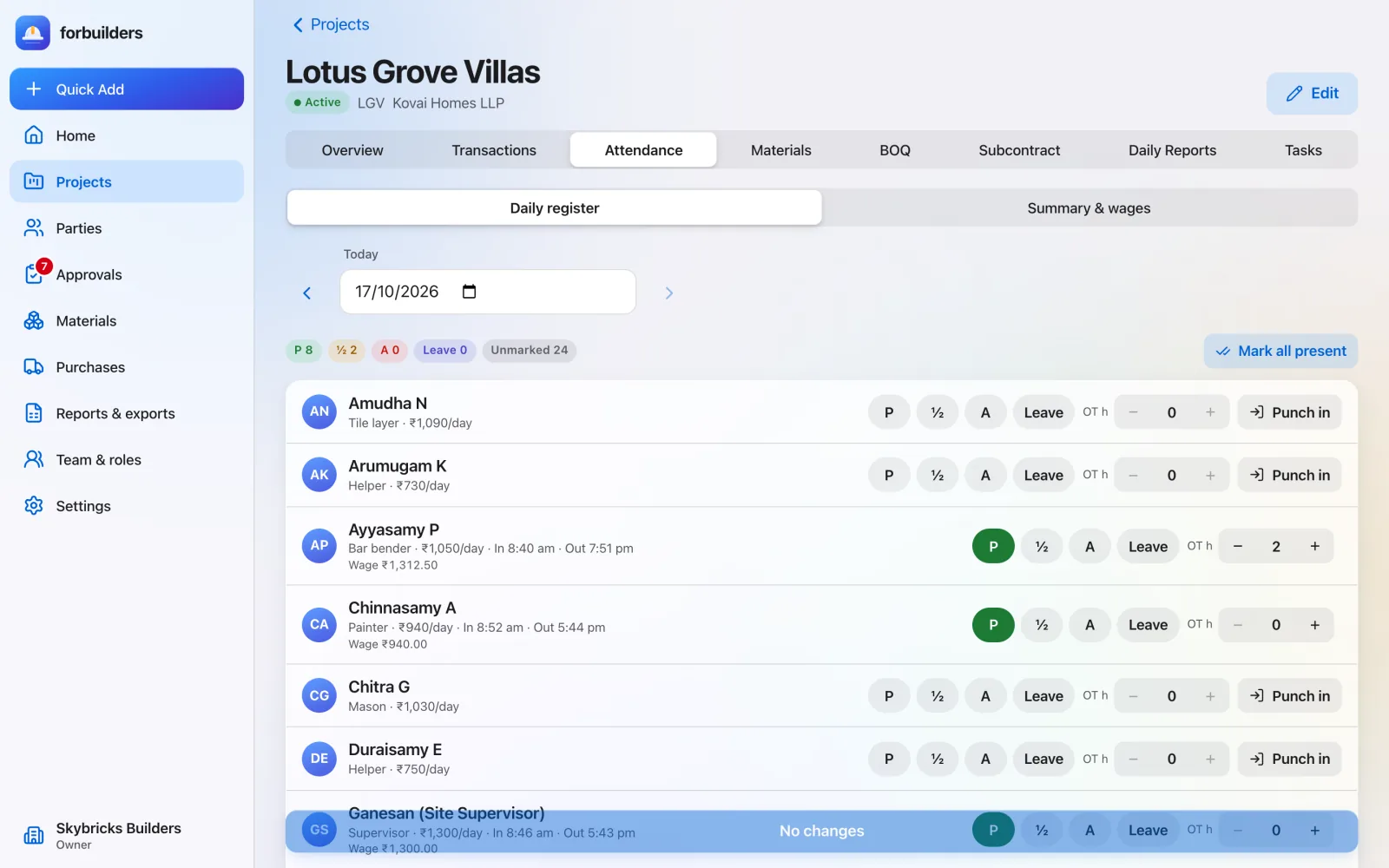
Learn moreMark the roster on the phone at the site. Punch-in records where and when. Wage totals are ready from attendance you have already marked.
The problem
For: Site in-charge, project leads and owners
How it works
Workers and staff on the project, with today’s date.
Present, half day, absent or paid leave, plus overtime hours. Punch in and out records the GPS position and time.
Pick a period, such as this week, and see days, overtime and wages per worker.
What you get
Everything on this page is live in forbuilders today.
FAQ
No. The position is read only when someone taps Punch in or Punch out. There is no background tracking.
Each overtime hour is paid at the daily wage divided by eight.
Yes. Choose any From and To dates, such as a week or a month, and the summary shows each worker’s wages for that period.
As a payment out to the worker in the money ledger. The Attendance & wages report shows what was paid and what is due.
Works well with
Site entries save with no signal and sync when it returns.
Learn moreReady-made Excel and PDF reports, from ledgers to profit.
Learn moreToday’s work, manpower, issues and photos, plus tasks with due dates.
Learn moreFree during early access. Sign up with Google or email, add a project and invite your team in about five minutes.